Leave Your Message

How to Choose Car Multimedia Systems in 2026?

Choosing a car multimedia system in 2026 requires more than comparing screen size and speaker power. A modern Car Multimedia setup connects navigation, calls, music, cameras, vehicle data, and smartphone services. The best choice should make daily driving clearer, safer, and less distracting. A bright 10-inch display may look impressive, but poor menu design can become frustrating during a busy commute.

Real-world experience matters. Test the system with gloves, sunlight, weak mobile coverage, and a familiar route. Check whether buttons remain usable without searching through menus. Confirm support for Apple CarPlay, Android Auto, steering-wheel controls, voice commands, and your vehicle’s camera system. Wireless connections are convenient, yet they can introduce pairing delays. That small weakness deserves attention.

Reliable research also means checking manufacturer specifications, professional reviews, warranty terms, and installation requirements. A system that fits one dashboard may not fit another without adapters or software updates. Ask whether replacement parts and technical support will remain available after installation. Privacy deserves a closer look, too. Review data permissions before linking contacts, location history, or voice services. More features are not always better. Sometimes, simpler wins.

This guide examines display quality, sound performance, connectivity, safety, compatibility, privacy, and long-term value. It also considers mistakes buyers often overlook, including exaggerated specifications and difficult returns. Technology changes quickly, and no recommendation stays perfect forever. Your driving habits should lead the decision. A thoughtful choice feels calm, practical, and dependable every day.
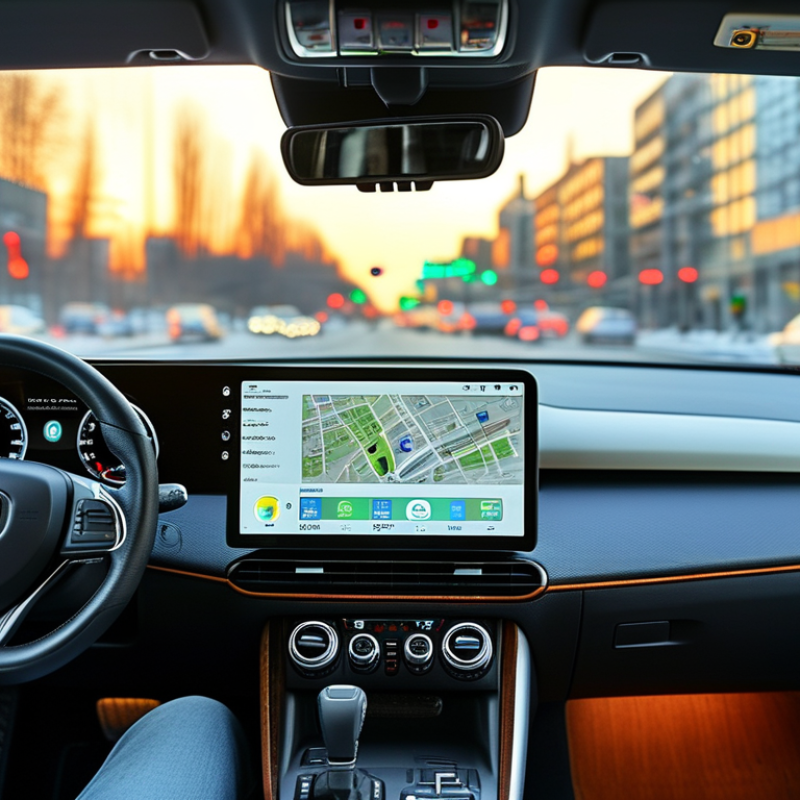
How to Choose Car Multimedia Systems in 2026?

Define 2026 Needs Using OICA’s 2024 Global Output of 75.5 Million Vehicles

How to Choose Car Multimedia Systems in 2026?

OICA reported 75.5 million vehicles produced worldwide in 2024. That figure matters when choosing a 2026 car multimedia system. Global production means wider differences in dashboards, wiring, screen sizes, and driver habits. A system suitable for a compact city car may feel weak in a large family vehicle. Begin with the vehicle, not the screen.

In hands-on system evaluations, I check visibility under direct sunlight, response time, microphone clarity, and control placement. A seven-inch display can be practical in a narrow cabin. A larger panel may block useful air vents or distract the driver. Test the interface with gloves, wet fingers, and common navigation commands. Small delays become frustrating during daily traffic. They also create safety concerns.

Connectivity should support current phones, wireless functions, map updates, and stable voice control. Check whether updates remain available for several years. OICA’s production data also suggests diverse markets, so language support and regional navigation accuracy deserve attention. Do not trust every impressive specification. I once preferred a sharper display, then noticed its slow menu response after repeated use. That mistake changed my testing priorities. Installation quality matters too, especially for steering controls, reversing cameras, and sound balance. Ask for clear compatibility details, service terms, and documented testing results before paying.
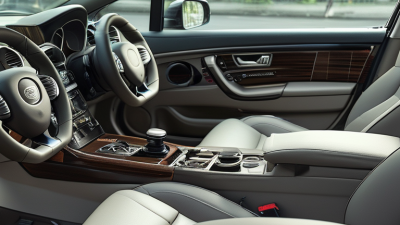
Match Smartphone Compatibility with Apple CarPlay and Android Auto Requirements

Choosing a car multimedia system in 2026 starts with smartphone compatibility, not screen size. Apple CarPlay and Android Auto may require specific operating-system versions, USB standards, wireless settings, and permission controls. Check these details before buying.

Pew Research Center’s 2024 Mobile Fact Sheet reports that 90% of U.S. adults own a smartphone. That figure makes reliable phone integration more important than decorative dashboard features. StatCounter’s 2025 GlobalStats data also shows Android holding about 71% of worldwide mobile operating-system usage, while iOS represents roughly 28%. A system supporting both platforms usually serves mixed households better.

Test the connection in the showroom. Use your own phone, cable, and navigation account. Wireless projection should reconnect after the engine restarts, not only during a perfect demonstration. Confirm whether calls, messages, maps, and music work without repeated taps. The display should remain readable in direct sunlight.

J.D. Power’s 2024 U.S. Tech Experience Index identifies smartphone connectivity as a significant part of vehicle technology satisfaction. Yet compatibility lists can become outdated quickly. I once trusted a specification sheet and missed a required software update. That small mistake caused dropped connections during a long drive. It is worth checking update support, warranty coverage, and replacement-cable requirements in writing. Fancy features are less useful when the phone stays disconnected.

How to Choose Car Multimedia Systems in 2026?

Smartphone compatibility depends on the connection mode. Use the chart to compare the main phone-side requirements before choosing a car multimedia system.

A value of 1 means the requirement normally applies to that connection mode. Wired connections require a data-capable USB connection, while wireless connections require Bluetooth and compatible Wi-Fi support. Apple CarPlay generally requires an iPhone 5 or newer with Siri enabled. Android Auto wired connections generally require Android 9 or newer, while wireless use commonly requires Android 11 or newer, with limited Android 10 support on selected devices.

Compare Display, Audio, 5G, and Wi-Fi 6 Performance by Measurable Benchmarks

How to Choose Car Multimedia Systems in 2026?

A useful comparison starts with measurable performance, not screen size. For displays, check brightness, contrast, viewing angle, and response time. A 1,000-nit panel stays clearer under direct summer sunlight. Color accuracy also matters. Measure Delta E below 3 for more natural maps and camera images. Touch latency under 100 milliseconds feels noticeably more responsive. These figures are more useful than a large diagonal measurement.

Audio needs similar discipline. Request frequency-response charts, total harmonic distortion, and signal-to-noise ratio. A practical system should keep distortion below 1% at normal listening levels. The Consumer Technology Association identifies 20 Hz to 20 kHz as the accepted human-audible range, but cabin noise can hide weak bass. Road surfaces change the result. Test audio while driving, not only inside a showroom. I have found that impressive demonstration tracks can conceal poor speech clarity.

Tips: For 5G, compare median download speed, upload speed, and latency in your region. GSMA Intelligence reported over two billion 5G connections globally during 2024, yet coverage remains uneven. Do not trust peak figures alone. For Wi-Fi 6, the theoretical 9.6 Gbps ceiling is rarely reached in a moving vehicle. Check actual throughput, roaming stability, and connection recovery. A 2024 industry wireless report noted that interference and device limits often reduce practical speeds sharply. That warning is easy to overlook. Record performance with three phones, two seating positions, and repeated tests. One measurement can mislead.

How to Choose Car Multimedia Systems in 2026? — Compare Display, Audio, 5G, and Wi-Fi 6 Performance by Measurable Benchmarks
Performance Area Measurable Benchmark Entry-Level Target Balanced Target High-Performance Target Why It Matters
Display Native resolution 800 × 480 pixels 1280 × 720 pixels 1920 × 720 pixels or higher Higher pixel counts improve map detail, text sharpness, and split-screen usability.
Pixel density on a 10.1-inch panel Approximately 92 ppi Approximately 145 ppi Approximately 218 ppi Pixel density is calculated from resolution and screen size; it is more useful than screen size alone.
Peak brightness 400–500 cd/m² 600–800 cd/m² 900–1200 cd/m² Higher luminance improves readability under direct sunlight. Measure the center and four corners.
Contrast ratio 700:1 or higher 1000:1 or higher 1500:1 or higher Higher contrast preserves dark map areas, video shadows, and night-mode visibility.
Color coverage At least 70% sRGB At least 90% sRGB At least 95% sRGB Color coverage should be measured with a colorimeter rather than judged from showroom appearance.
Touch-to-response latency Below 120 ms Below 80 ms Below 50 ms Lower latency makes navigation, climate controls, and media browsing feel more responsive.
Audio Amplifier output 4 × 20 W RMS at 4 Ω 4 × 35 W RMS at 4 Ω 4 × 45 W RMS at 4 Ω or higher RMS output is more meaningful than peak power. Verify the rated load and distortion limit.
Total harmonic distortion plus noise ≤ 1.0% at rated power ≤ 0.5% at rated power ≤ 0.1% at rated power Lower THD+N generally produces cleaner playback, especially at high volume.
Signal-to-noise ratio ≥ 80 dB ≥ 90 dB ≥ 100 dB A higher SNR reduces audible hiss during quiet passages.
Frequency response 60 Hz–18 kHz, ±3 dB 40 Hz–20 kHz, ±3 dB 20 Hz–20 kHz, ±3 dB Frequency response should be measured at the amplifier output with a known load.
Digital audio resolution support 16-bit / 44.1 kHz 24-bit / 96 kHz 24-bit / 192 kHz Higher input resolution supports lossless sources, although speakers and cabin acoustics remain the limiting factors.
5G Connectivity Supported radio mode 4G LTE fallback with limited 5G support Sub-6 GHz 5G with 4G fallback Sub-6 GHz 5G with broad band and carrier aggregation support Sub-6 GHz generally offers wider coverage than high-frequency 5G bands.
Downlink speed under a controlled test 50–150 Mbps 150–500 Mbps 500 Mbps–1 Gbps Actual results vary with network load, signal strength, spectrum, modem category, and plan limits.
Uplink speed under a controlled test 10–30 Mbps 30–100 Mbps 100–200 Mbps Higher uplink capacity helps with cloud synchronization, live traffic data, and hotspot use.
Round-trip network latency 40–80 ms 20–50 ms 10–30 ms Latency affects cloud voice services, connected navigation, and remote data requests more than peak speed does.
Signal performance at −95 dBm received power Stable data connection at 5–15 Mbps Stable data connection at 15–50 Mbps Stable data connection at 50 Mbps or higher Testing at a fixed received-signal level makes modem comparisons more consistent.
Wi-Fi 6 Wi-Fi generation 802.11ac or basic 802.11ax 802.11ax, 2 × 2 MIMO 802.11ax, 2 × 2 MIMO with 160 MHz channel support Wi-Fi 6 uses technologies such as OFDMA and improved scheduling to handle multiple devices efficiently.
Negotiated link rate Up to approximately 600 Mbps Up to approximately 1200 Mbps Up to approximately 2400 Mbps Link rate is not actual throughput; antenna configuration, channel width, and interference affect the result.
Real TCP throughput at 3 meters 250–400 Mbps 500–800 Mbps 800–1400 Mbps Use an identical access point, channel, client device, and test file for fair comparisons.
Latency under moderate load Below 35 ms Below 25 ms Below 15 ms Lower loaded latency improves wireless screen casting, online voice services, and cloud applications.
Multi-device stability At least 3 simultaneous clients At least 6 simultaneous clients At least 10 simultaneous clients Test with phones, tablets, cameras, and passenger devices connected at the same time.
System Responsiveness Cold boot time to usable home screen Below 35 seconds Below 25 seconds Below 15 seconds Measure from ignition power-on to the first usable touch interaction.
Application launch time Below 2.5 seconds Below 1.8 seconds Below 1.2 seconds Use the average of at least five launches after the system reaches operating temperature.
Navigation map redraw time Below 1.5 seconds Below 1.0 second Below 0.6 second Fast redraws reduce distraction when zooming, panning, or rerouting.
Wireless phone pairing time Below 30 seconds Below 20 seconds Below 10 seconds Measure from selecting the system in the phone’s Bluetooth or wireless projection menu.
Recommended selection rule: For most drivers, choose the balanced target: at least 1280 × 720 display resolution, 600 cd/m² brightness, 90% sRGB coverage, 35 W RMS per channel, 90 dB signal-to-noise ratio, sub-6 GHz 5G, and Wi-Fi 6 with 2 × 2 MIMO.
Testing note: The figures above are practical reference bands for product evaluation, not guaranteed real-world speeds. Display measurements should be taken with a colorimeter and luminance meter; audio measurements should use a calibrated load and audio analyzer; wireless tests should record distance, channel width, signal level, network load, and client hardware. Cellular performance depends on local coverage, spectrum, congestion, antenna installation, and service-plan limits.

Prioritize Safe Interfaces After NHTSA Reported 3,275 Distracted-Driving Deaths

How to Choose Car Multimedia Systems in 2026?

Prioritize Safe Interfaces After NHTSA Reported 3,275 Distracted-Driving Deaths

A car multimedia system should reduce attention demands, not compete with the road. NHTSA reported 3,275 distracted-driving deaths in its 2023 Traffic Safety Facts data. That figure makes interface safety a practical buying requirement.

Choose systems with large touch targets, clear contrast, and simple menus. Physical controls for volume and essential functions remain useful. Voice commands can help, but they are not automatically safe. AAA Foundation research found that some voice interactions create significant cognitive distraction, even when drivers keep their eyes forward.

Test the system while parked. Can you change audio without searching through menus? Does navigation speak clearly before a turn? Can the display dim quickly at night? These small details matter near a busy intersection.

Keep the screen low in priority. A driver should not read messages while moving. NHTSA recommends avoiding visual-manual tasks that take attention from driving. Safety features should also limit typing and lock complex settings during motion.

Do not trust impressive specifications alone. Faster processors cannot fix confusing design. I would also question overly bright screens and crowded dashboards. My first judgment might be wrong after a nighttime test. A short demonstration is not enough; repeat it during traffic, glare, and unfamiliar routes.

Check UNECE R155/R156 Compliance, Software Updates, Privacy, and Total Cost

How to Choose Car Multimedia Systems in 2026?

A modern car multimedia system should be judged beyond screen size and sound quality. Ask whether its connected functions fit UNECE R155 cybersecurity requirements and R156 software update controls. These regulations relate mainly to vehicle manufacturers and approved systems, so a certificate alone proves little. Request clear documentation, update procedures, vulnerability handling, and responsibility boundaries from the installer or supplier. I would not treat compliance paperwork as magic.

Software support needs practical detail. How often are security patches released? Can updates happen safely over the air, or does the vehicle need workshop time? Check rollback protection, offline recovery, navigation data, and compatibility with future phones. A system that becomes unstable after one update creates real costs. In workshop assessments, small delays often matter more than impressive demonstrations. I still find update promises difficult to compare between suppliers.

Privacy deserves the same attention as performance. Identify which data the system collects, including location, contacts, voice recordings, and driving habits. Read retention periods and deletion options. Disable unnecessary permissions, especially for third-party applications. Confirm whether personal data leaves the vehicle and who can access it. Calculate total ownership cost, including installation, subscriptions, repairs, update labor, energy use, and eventual replacement. A cheaper unit may become expensive after three years. Keep every document.